Multipoint Bluetooth is the feature that lets a single pair of headphones stay connected to two devices at the same time, so you can listen to music on your laptop and still take a call on your phone without re-pairing. It sounds simple, but the implementation varies a lot between products, and it often comes with hidden costs. This explainer covers what multipoint actually does, how switching behaves in practice, and whether you should care about it when choosing your next pair of true wireless earbuds or over-ears.
Multipoint vs multi-pairing
The first thing to clear up is the difference between multipoint and multi-pairing. Almost every Bluetooth headphone can remember several devices in its pairing list — you might have your phone, laptop, and tablet all saved, and you can switch between them manually from the device's Bluetooth menu. That is multi-pairing, and it is not the same as multipoint.
Multipoint means the headphone maintains two active connections at once. Both devices are connected simultaneously, and the headphone decides which audio stream to play. When you pause music on your laptop and press play on your phone, the headphone should switch over without you touching any settings. This is a genuinely different behaviour, and it is what makes multipoint feel seamless when it works.
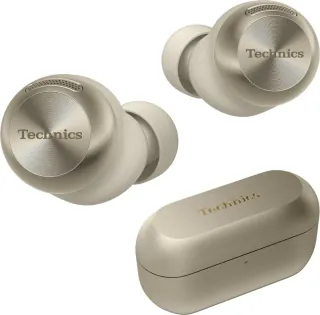
Most multipoint implementations cap out at two devices. Some sets, like the Technics EAH-AZ100, support three simultaneous connections, though that is still rare. The Sony WH-1000XM6, Sennheiser HDB 630, Bose QuietComfort Headphones (2nd Gen), and AKG N9 Hybrid all list multipoint as a feature, so you will find it across the premium over-ear market.
How switching actually behaves
The key detail is that multipoint does not mix audio from both devices. It plays one stream at a time, and it prioritises certain types of audio over others. A phone call will almost always interrupt music playing from your laptop. When the call ends, the headphone typically returns to the laptop's audio. That is the behaviour most people expect, and it is why multipoint is so useful for people who work at a desk with a computer and keep their phone nearby.
But not all switching is equally graceful. Some headphones pause the first stream before switching, others fade it out. Some are slow to detect that a call has started, so you miss the first ring. The Apple AirPods Pro 3 handle this well within the Apple ecosystem, but on Windows or Android the behaviour can be less predictable.
A common failure mode is the laptop grabbing the connection. If your laptop is playing a video with sound, and your phone receives a call, the headphone should switch to the phone. But if the laptop is playing a silent video or has a notification sound, some headphones will keep the laptop as the active source and you will not hear the ring. This is not a bug in the headphone so much as a limitation of how Bluetooth handles audio priority, but it is worth knowing before you rely on multipoint for critical calls.
The codec cost
Multipoint has a real technical cost: it often forces the headphone to drop to a lower-quality codec. High-bandwidth codecs like LDAC, which the Sony WH-1000XM6 and AKG N9 Hybrid support, need a lot of bandwidth. When two devices are connected at once, the Bluetooth link has to share that bandwidth, and many headphones simply fall back to AAC or SBC for both connections.
So if you buy a headphone specifically for LDAC quality, you may find that LDAC is only available when you are connected to a single device. The moment you enable multipoint, the headphone might switch to AAC. This is not always the case — some headphones handle it better than others — but it is a trade-off you should expect. The Sennheiser HDB 630 uses aptX Adaptive, which is designed to scale bitrate based on connection conditions, so it may hold up better under multipoint than a fixed LDAC stream.
If codec quality is your priority, check whether the headphone lets you disable multipoint to regain the high-bitrate codec. Many do, but it is not always obvious in the settings.
Ecosystem switching as the alternative
Multipoint is not the only way to get seamless device switching. Google Fast Pair and Apple's ecosystem features do the same job, but they work differently. Instead of the headphone maintaining two active connections, the devices themselves negotiate which one should be the active source.
Apple's approach, used by the Apple AirPods Pro 3, relies on iCloud. Your AirPods are paired to your Apple ID, and any Apple device signed into that ID can take over the audio stream. If you are watching a video on your Mac and a call comes in on your iPhone, the AirPods switch automatically. This works across iPhone, iPad, Mac, and Apple Watch, and it is generally smoother than traditional multipoint because the switching logic lives in the operating system, not in the headphone.
Google Fast Pair works similarly for Android and ChromeOS devices, but the behaviour is less consistent because it depends on the manufacturer's implementation. Some Android phones will switch automatically, others will not. If you live entirely inside one ecosystem, these alternatives can be more reliable than multipoint. If you mix platforms — a Windows laptop and an Android phone, say — then multipoint is still your best bet.
Who needs it
Multipoint is not for everyone. If you mostly use one device at a time, or you are happy to switch manually from the Bluetooth menu, you can skip it and save some money. But if you regularly work with a laptop and keep your phone on your desk, multipoint is a genuine quality-of-life improvement. It is also useful for commuters who want to listen to music on their phone but still hear navigation from a second device.
The Bose QuietComfort Headphones (2nd Gen) and Sony WH-1000XM6 both implement multipoint well, and their strong ANC makes them good office companions. The Technics EAH-AZ100 go a step further with three-device support, which is useful if you juggle a phone, laptop, and tablet. The AKG N9 Hybrid offers multipoint alongside a huge 100-hour battery, which makes it a strong all-day option.
If you are shopping for true wireless earbuds under $100 or over-ear headphones, multipoint is increasingly common even at lower price points, but the implementation quality varies. Read reviews that specifically test switching behaviour, because a headphone can list multipoint on the spec sheet and still be frustrating to use.
FAQ
Does multipoint Bluetooth drain battery faster?
Yes, slightly. Maintaining two active connections requires the Bluetooth radio to stay in a higher-power state, and the headphone has to keep monitoring both links. The difference is usually small — a few percent over a full charge — but it is measurable. If you are on a long flight and need every minute of battery, disabling multipoint can buy you a little extra time.
Can I use multipoint with a phone and a laptop at the same time?
Yes, that is the most common use case. A phone and a laptop are exactly the kind of pairing multipoint is designed for. You can listen to music from the laptop and still take calls on the phone. Just remember that the headphone plays one stream at a time, so you cannot listen to two audio sources simultaneously.
Why does my multipoint headphone keep switching back to my laptop?
This usually happens because the laptop is sending audio, even if you cannot hear it. A paused video, a notification sound, or a background app can keep the laptop as the active source. Some headphones let you set a priority device in the companion app, which can help. If the problem persists, check whether the headphone has a firmware update that improves switching behaviour.
Is multipoint the same as Bluetooth 5.0 or 5.3?
No. Multipoint is a feature that can be implemented on any Bluetooth version, though newer versions like 5.2 and 5.3 make it easier to do well. The Bluetooth version number tells you about the radio's capabilities, not whether multipoint is supported. A headphone can have Bluetooth 5.3 and no multipoint, or Bluetooth 5.0 and multipoint. Always check the spec sheet for the multipoint feature specifically. For a full list of true wireless options, see our true wireless section.